Data Exchange Module - Tables Synced
When using the Data Exchange Module for synching database information, all fields are synched for the appropriate table(s). For example, if you select GAGES in your Receive Template, all fields in the GAGES tables are synched between the two databases. This principle works for all on-screen fields without exception. Of course, sometimes other detail tables are also involved. Here is a summary of synching:
The COMPANY table is always synched between Receive and Send operations databases. Send operations in the Data Exchange Module are not configurable, meaning the same information is always sent from the Single User database back to the Multi-User database:
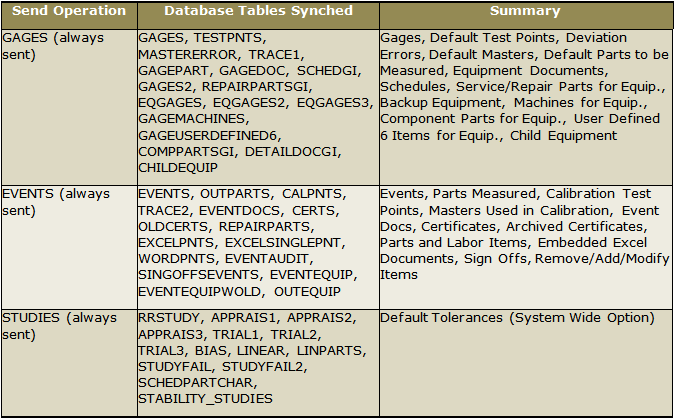
Send Tables Synced
In the Receive operation, there are many options provided in the Data Exchange Module:
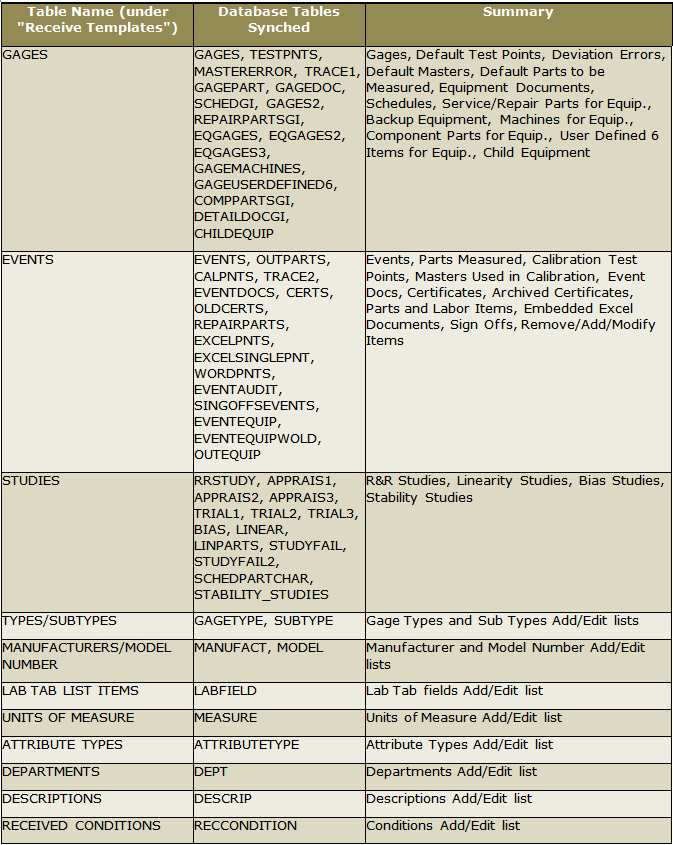
Receive Tables Synced (Part 1)
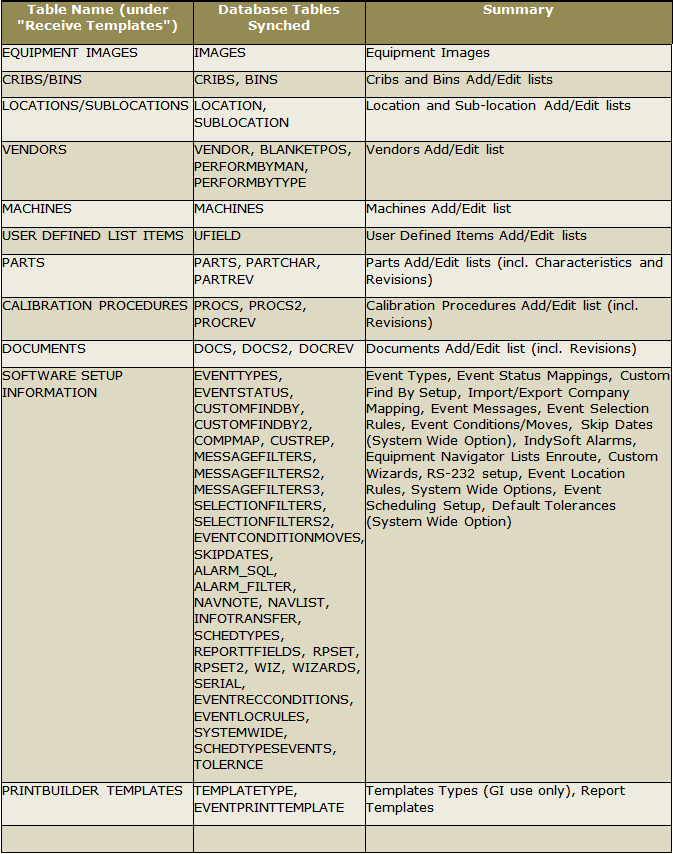
Receive Tables Synced (Part 2)
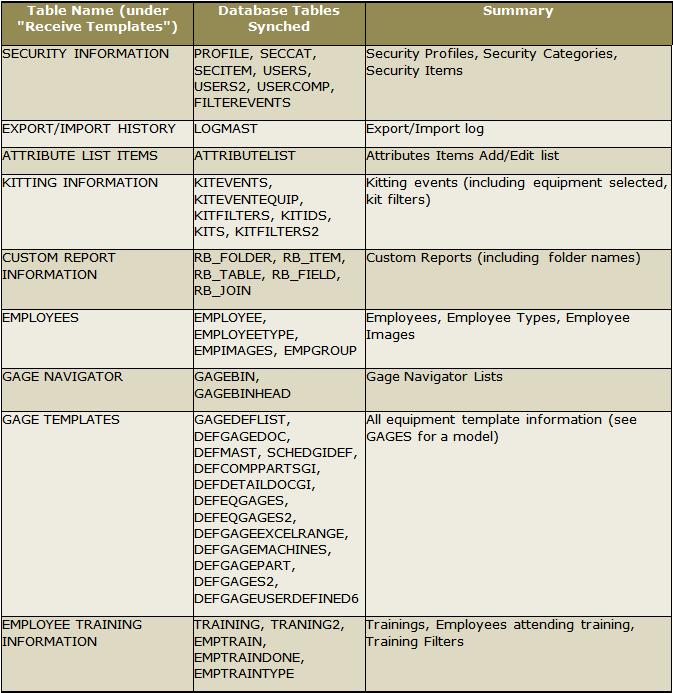
Receive Tables Synced (Part 3) |