Starter DB Download Settings
Note: These settings are workstation-specific.
There are three methods supported for automatic downloads of the Starter DB. The Starter DB is what is used as the starting point for all new databases created from the 'Create New/Updated Database' dialog (when 'New Database' is selected). This Starter DB is created on the server, typically once per week. This option controls the method used to retrieve this Starter DB and copy it locally.
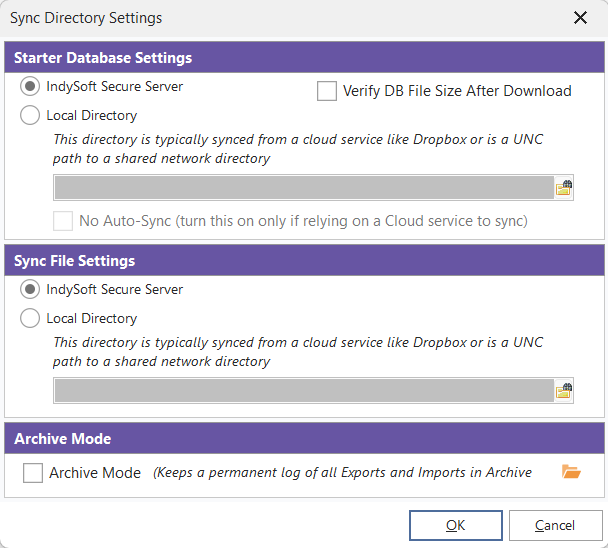
- IndySoft Secure Server - If selected, the Starter DB will be downloaded directly from the IndySoft Secure Server over SFTP, just like any other ITS file or asset/order/document/procedure/master change communicated between Single-User and Multi-User databases. This method has the advantage of consolidating all the file transfers into one tool but requires more work through the IndySoft Secure Server when communicating potentially large starter DB files.
- UNC Path - If selected, the Starter DB will be downloaded using the UNC path noted. This method is typically the fastest but requires a direct network connection to the directory on the server where the Starter DB is located.
- Dropbox - If selected, the Starter DB will be automatically downloaded from a directory in your corporate Dropbox account. The IndySoft Secure Server can then be set up with the related option to automatically upload the Starter DB to the same Dropbox directory after each new database creation/update. This method has the advantage of not taxing the IndySoft Secure Server with download requests for the starter database, which can be very large.