Copy Company Settings
Company Preferences can be modified from the IndySoft main screen per company. But if many companies are in the database, standardizing these settings can be time-consuming. So the Profile Manager offers a dialog for standardizing these settings from one company across multiple companies. This operation is only available from within Profile Manager since only 'System Administrators' should have access to such a powerful operation. Select 'Copy Company Settings' from the 'Management' menu in Profile Manager.
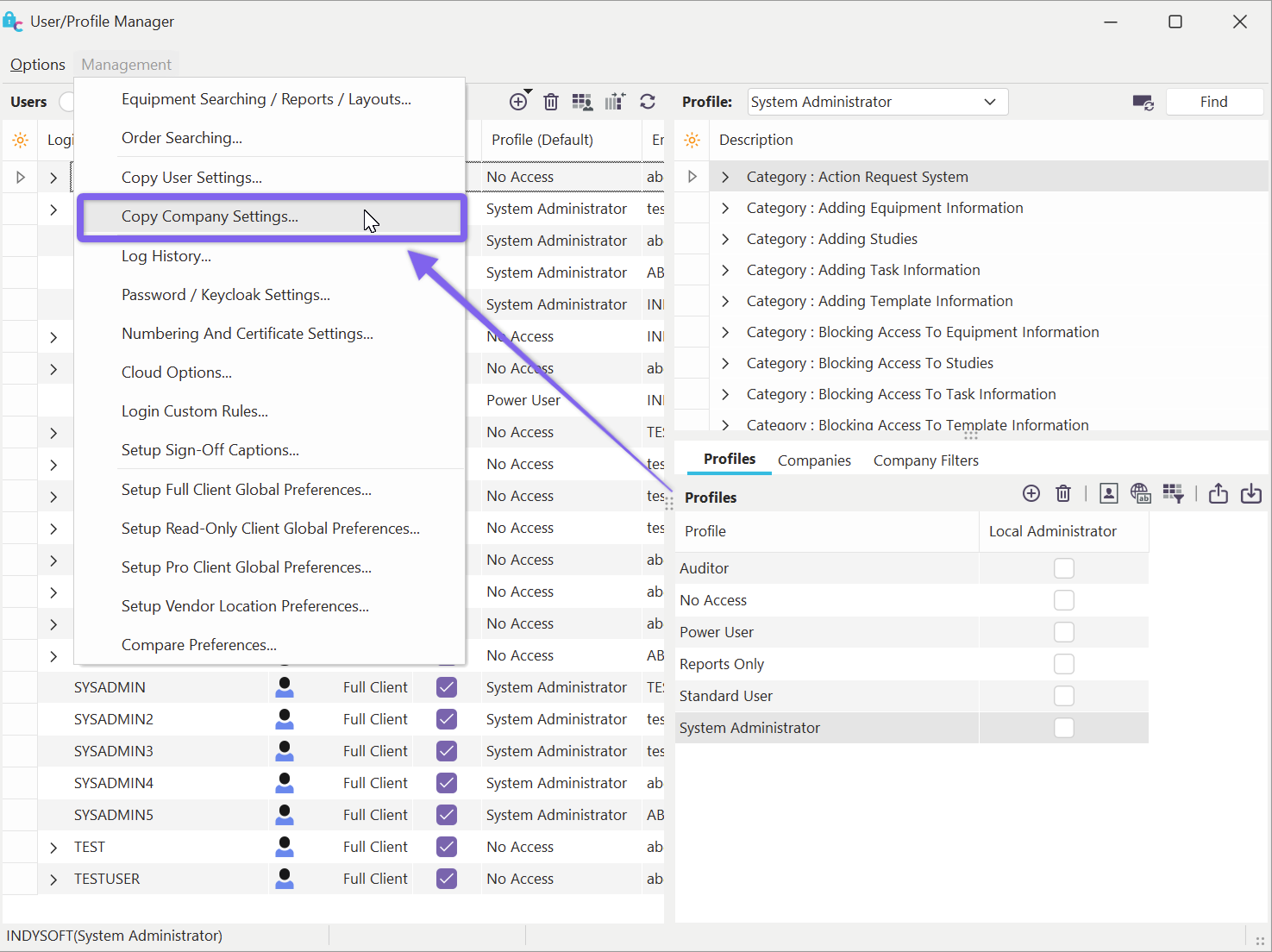
Locate 'Copy Company Settings' on Profile Manager
The dialog below will then appear:
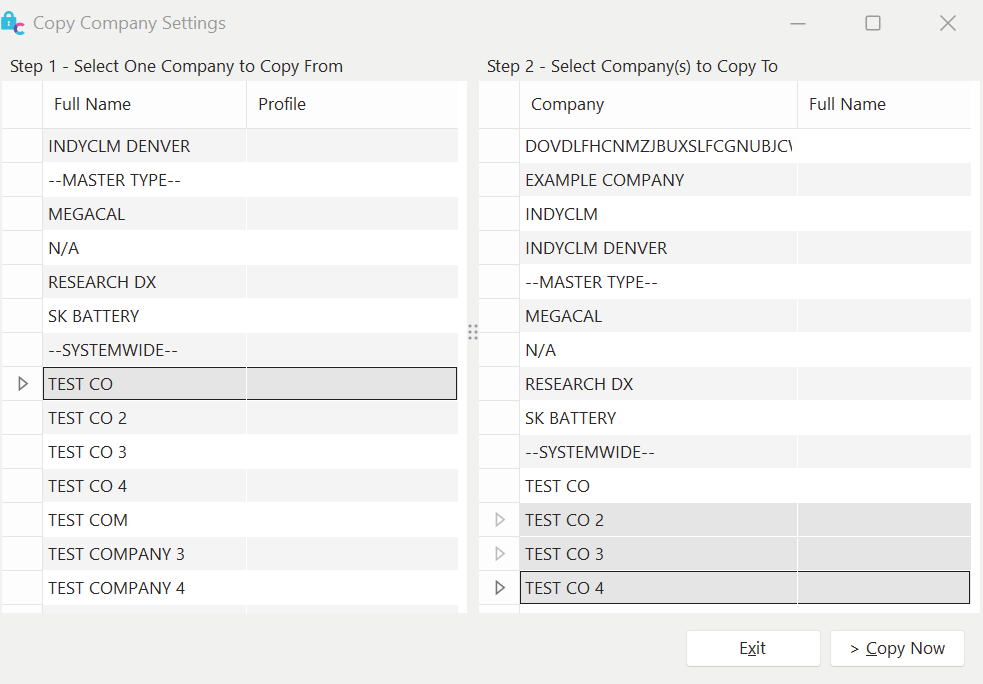
Copy Company Settings
Select one company from the left panel that you would like to copy from, then select one or more companies from the right panel that should be synced with the same company preferences. Press 'Copy Now' when you are ready to proceed. |