Parts/Operations
 Note: the topic below only applies to the Tool Management version of IndySoft.
Parts/Operations templates are for use only with the Parts/Operations module in the Tool Management version of IndySoft. This template allows for the display of parts fields and related detail tables/fields, as defined in the related layout and detail grids - as setup in the Parts/Operations module. Two datapipelines are available:
1.PartsOperations - this pipeline corresponds to the top header fields on the Parts/Operations module, as configured in Add/Edit...Part/Operation Layout Types
2.PartsOperationsDetails - this pipeline corresponds to the details on the bottom of the Parts/Operations module, as configured in Add/Edit...Part/Operation Detail Types
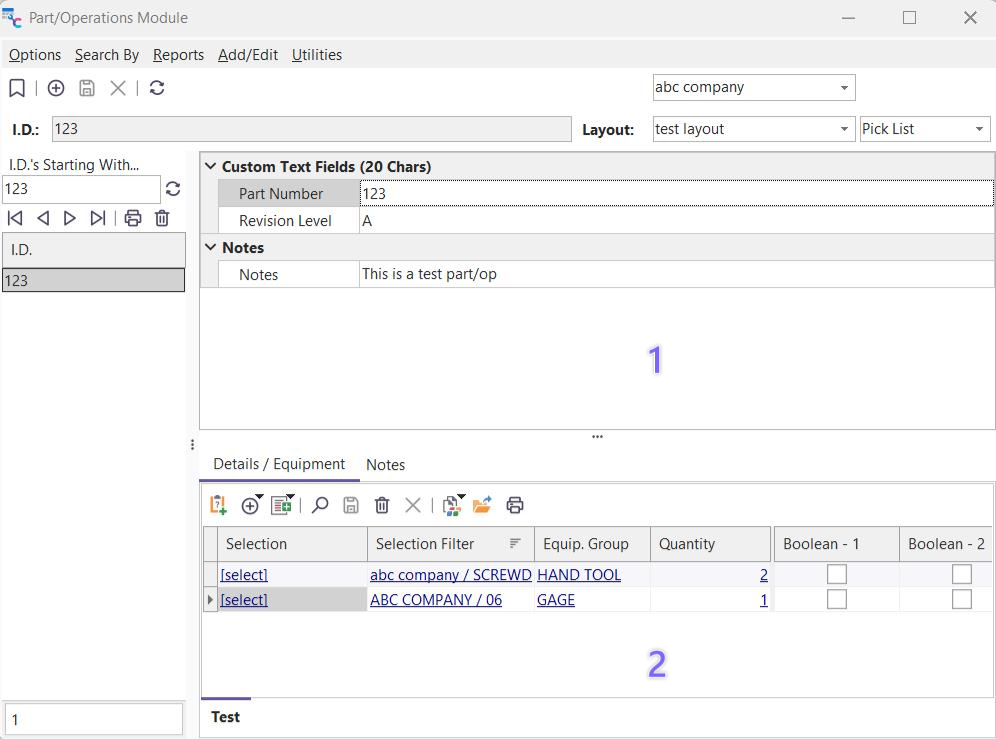
Part/Op Module - Overview
After a Parts/Operations template has been created in PrintBuilder it can be launched from the Parts/Operations module by selecting Reports...Part/Operation. Template type and output parameters can be selected before print.
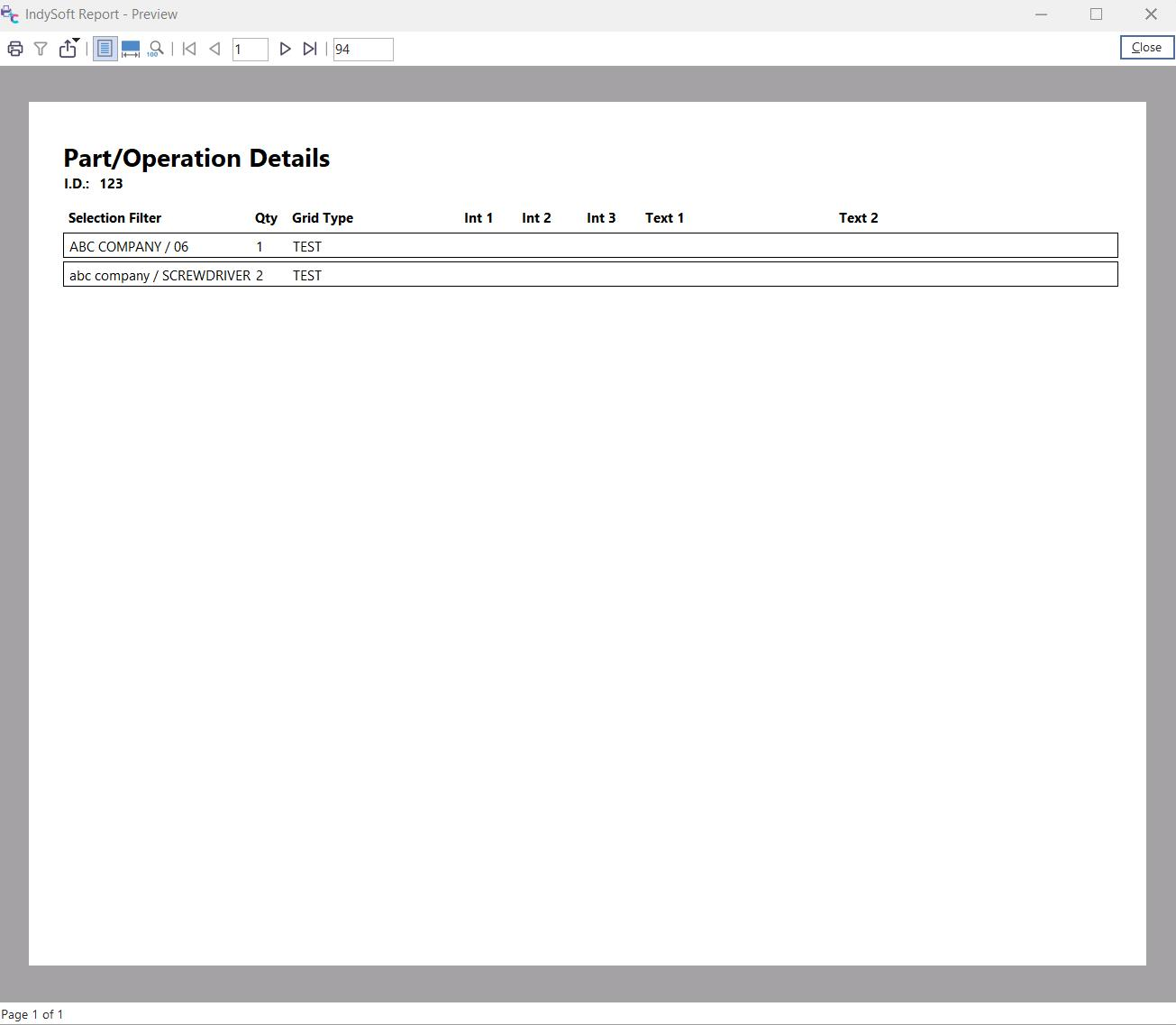
Part/Operation Standard Report Example |