Kits
 Note: the topic below only applies to the Tool Management version of IndySoft.
Kits templates are for use only with the Kitting module in the Tool Management version of IndySoft. This template allows for the display of kit fields and related kitting requirements. Three data pipelines are available:
1. Kits - this pipeline corresponds to the top header fields on the Kitting module.
2.KitRequirements - this pipeline corresponds to the Kit Requirements tab on the right side of the kitting module
3.KitAssociations - this pipeline corresponds to the Kit Associations tab on the right side of the kitting module.
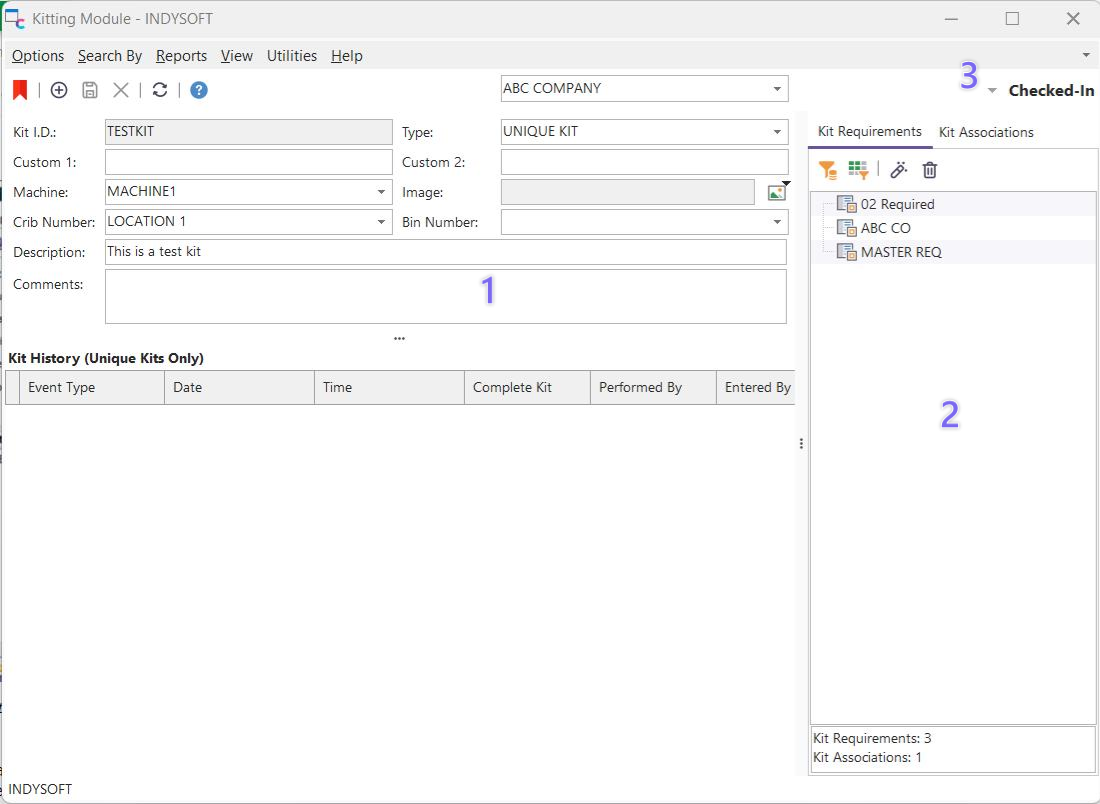
Kitting Module - Data Pipelines
After creating a Kits template in PrintBuilder, it can be launched from the Kitting module by selecting Reports...Kit. Template type and output parameters can be selected before print.
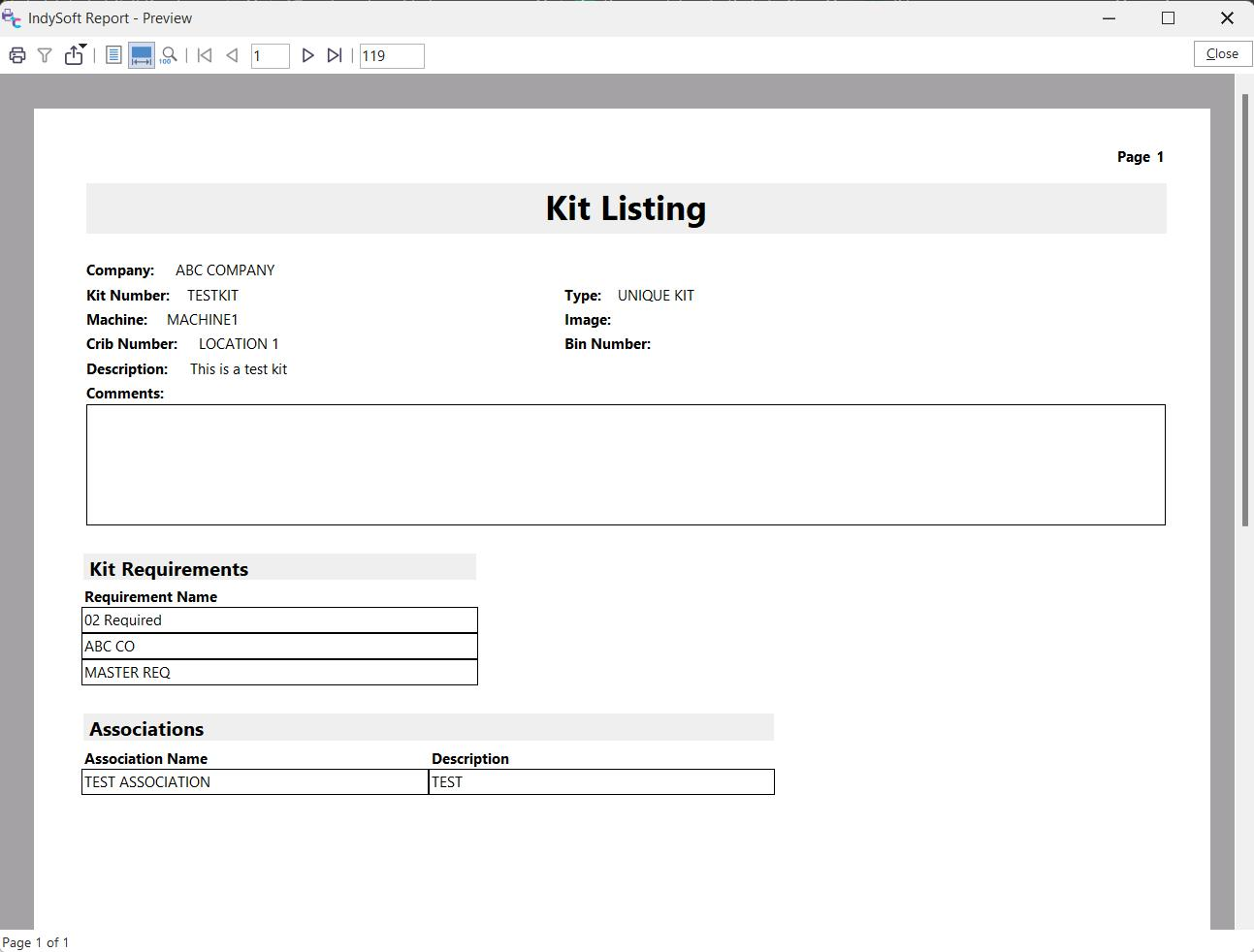
Kits - Standard Report Example
For more information on Kits, please see the Utilities/Modules...Kitting Module section. |