Taxonomy Tree Structure Overview
IndySoft Taxonomy Manager – Tree Navigation and Asset Association
Purpose
The Taxonomy Tree Structure gives users a hierarchical view of all node types that define the classification and metadata structure for assets in the IndySoft platform. This screen is the primary workspace for browsing, searching, and managing taxonomy elements like Categories, Disciplines, Types, Model Numbers, and more.
Interface Overview
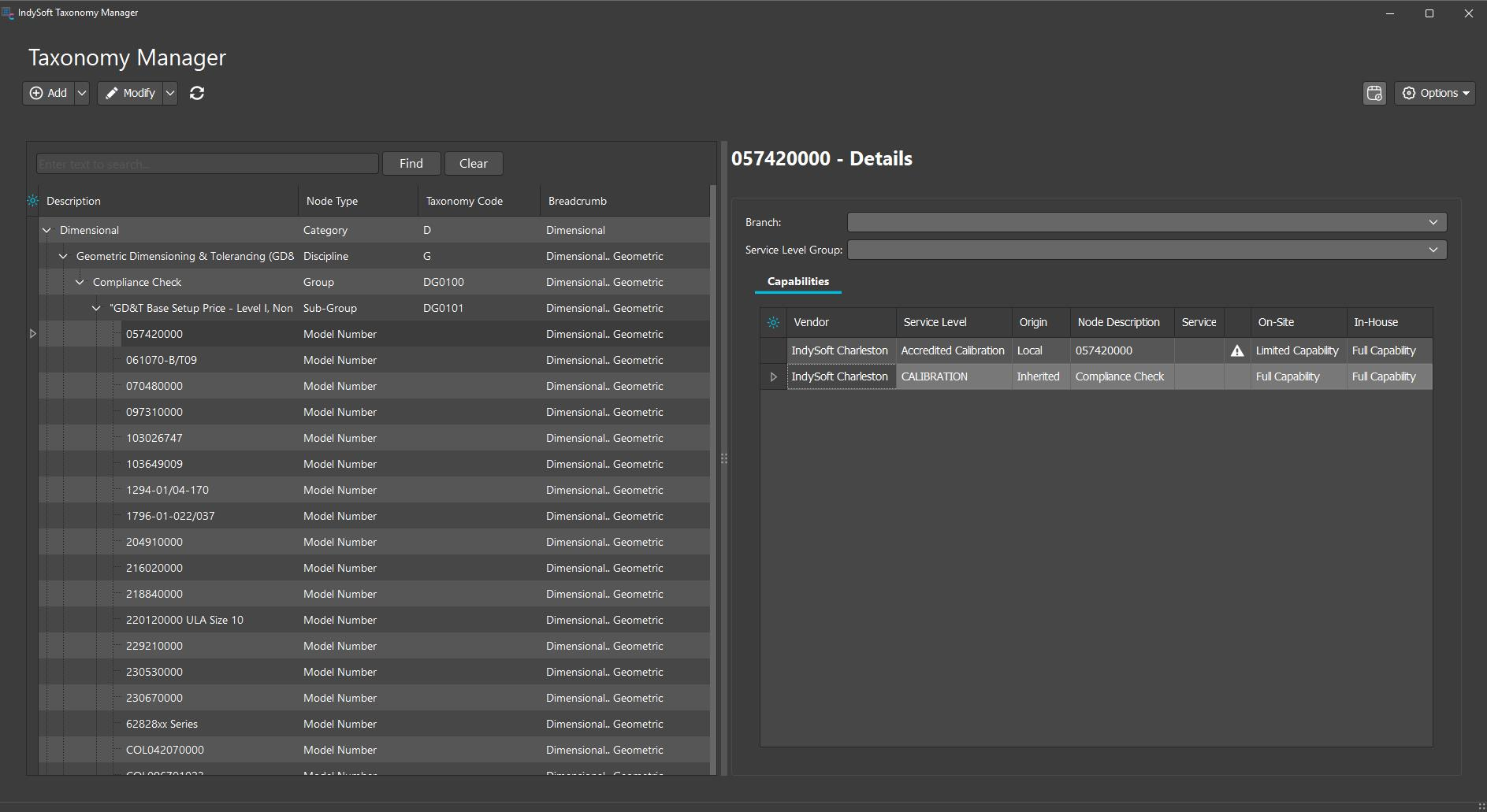
Taxonomy Manager Tree Overview
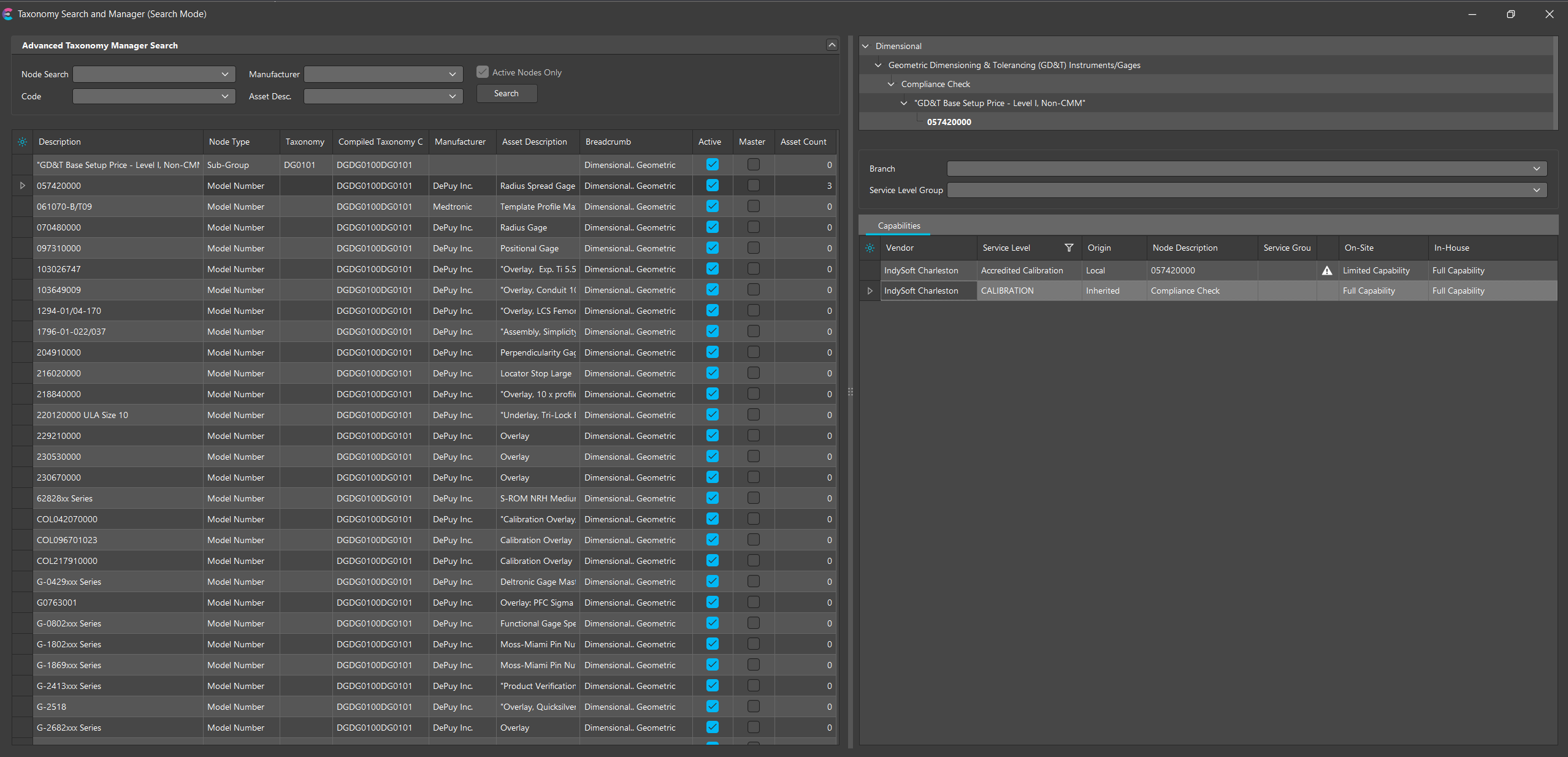
Taxonomy Tree - Flattened Search
Left Panel: Taxonomy Tree Grid
This area displays the complete taxonomy hierarchy in a collapsible/expandable tree format.
-
Node Hierarchy: Displays parent-child relationships between node types. The tree starts from general types (like Category) and becomes more specific (e.g., Sub-Type, Model Number).
-
Columns:
- Description: The user-friendly name of each node.
- Node Type: Indicates the level/type of the node (e.g., Category, Discipline, Type).
- Taxonomy Code: Abbreviation or identifier used internally.
- Breadcrumb: Full path to the node, helping users understand its lineage.
Use Case: Users assign equipment to nodes from this tree from the equipment view. Only node types that are configured with “Can Associate Asset” will be selectable during equipment association.
Search Functionality
At the top of the tree view:
- Search Bar: Filter nodes by entering all or part of the description.
- Find: Highlights matching results in the tree.
- Clear: Resets the search and restores full tree visibility.
Right Panel: Node Details and Capabilities
Upon selecting a node (e.g., "0574200000"):
-
The breadcrumb lineage is shown at the top of the tree
-
The “Details” pane displays the associated capabilities for the node
- Vendor: Lists applicable vendors
- Service Level: e.g., “CALIBRATION” or “Accredited Calibration”
- Service Group: The related service group, typically "Calibration" or similar
- On-Site/In-House: Specifies the associated capability for that service site
- Origin: Indicates whether the capability is defined directly at the node or inherited from a parent node
⚠️ Note: If there is a capability loss found, an indicators will appear in the grid. Double-click on the icon to open the capability loss form.
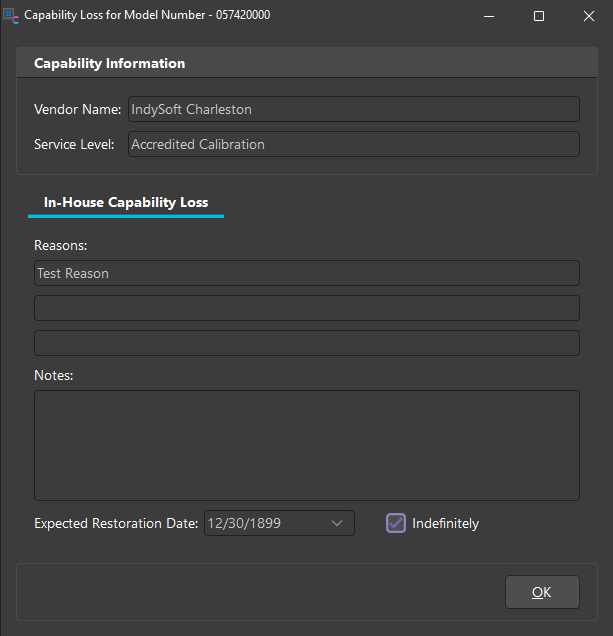
Key Concepts
- Taxonomy Trees allow structured categorization of equipment, making it easier to filter, report, and automate workflows across IndySoft.
- Node Types define allowable child types, asset association eligibility, and required fields. These are configured by administrators in the Taxonomy Manager.
- Capabilitieshelps determine the service capability and fulfillment routes for assets based on node classification.
Taxonomy Tree