Test Points - Tolerance Calculator
 The Tolerance Calculator
Occasionally, you might want to calculate tolerances that differ from those created from the default calibration test point settings. If so, the Tolerance Calculator makes these calculations simple. This calculator can be accessed by performing a right mouse click from within the test point grid or pressing the tolerance calculator button in the header bar. The following dialog will appear:
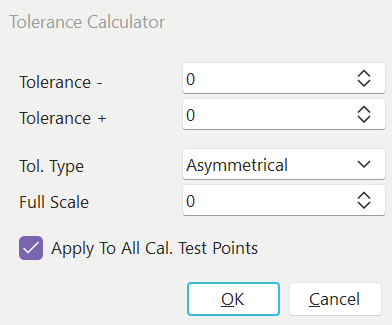
Tolerance Calculator
Input the tolerance, choose the appropriate direction, input a full scale value (if applicable), and press OK to calculate. If you want the calculation to apply to all the calibration test points, check the 'Apply to All Cal. Test Points' box. If this box is not checked, the calculation will only apply to the current test point. Suppose new and used tolerancing is currently turned on (see User/Location Settings). In that case, the tolerance will be calculated for either the new or used tolerances, depending on where the cursor was located when the dialog was called. |