Preferences
Preferences allow configuration on three different levels to utilize different settings. The Preferences can be found on the home screen under the options tab.
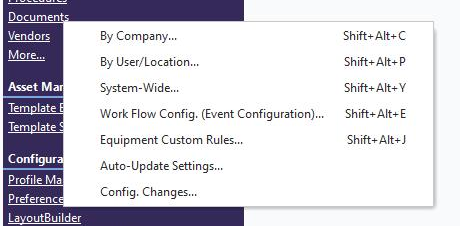
These are:
By Company: Four tabs of information can be used to customize how information associated with the company is presented. Remember that these settings are for each company.
By User/Location: Many settings/preferences in IndySoft are stored and recalled specific to the current user logged in, plus their location. This user + location combination for the current login is easily recalled from the top header on the Dashboard main screen by pressing the hyperlink text showing the current location ('DEFAULT' in this example). Note there is also a small image to the right that can be clicked to launch into the User/Location Settings dialog - to modify any of the settings (if user profile security settings allow)
System-Wide: Certain settings are system-wide, so they are not specific to a particular login user or company - these are modified in the 'System Preferences' dialog. This dialog can be launched from the Home View's Preferences...System-Wide hyperlink
Additional information regarding settings can be found in the Help Manual. |