Estimates
With IndySoft's Order System, you can quote Estimates to your customers quickly and easily. To begin an Estimate, select the Order System Tab.
Select Estimate from the menu, and then click the New icon. Then, select the company in the new pop-up window.
Fill in all the customer-related information, such as Company and Due Date. Then, begin adding
charges based on the customer's needs. Click the "Add New" charges icon on the "Charges" tab. This
will open the Charge Type dialog box. Begin entering the desired charges.
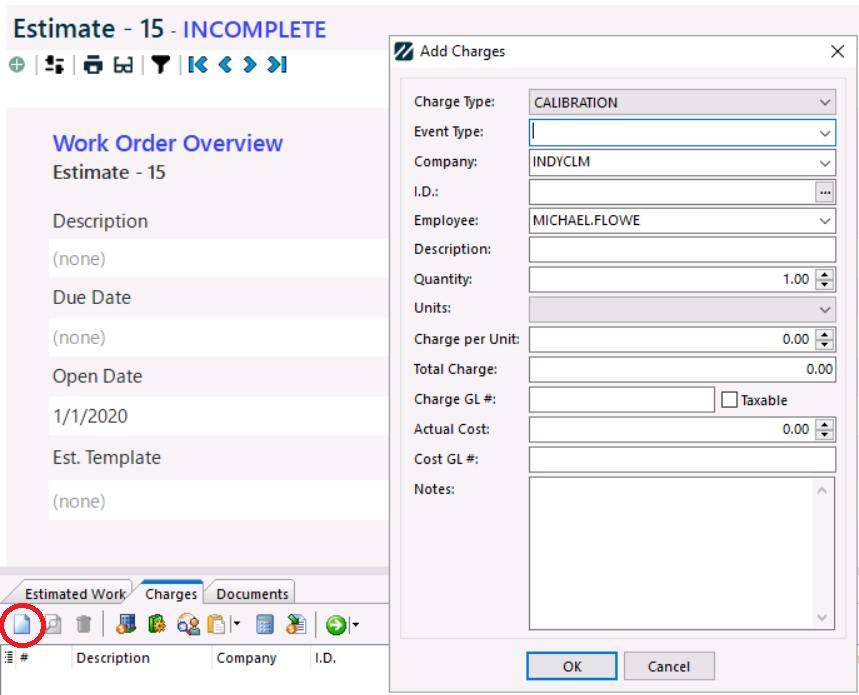
Click "OK" when finished. Continue adding charges as needed.

As you add more charge types, the total will continue adding up in the lower right-hand side of the
charges tab.
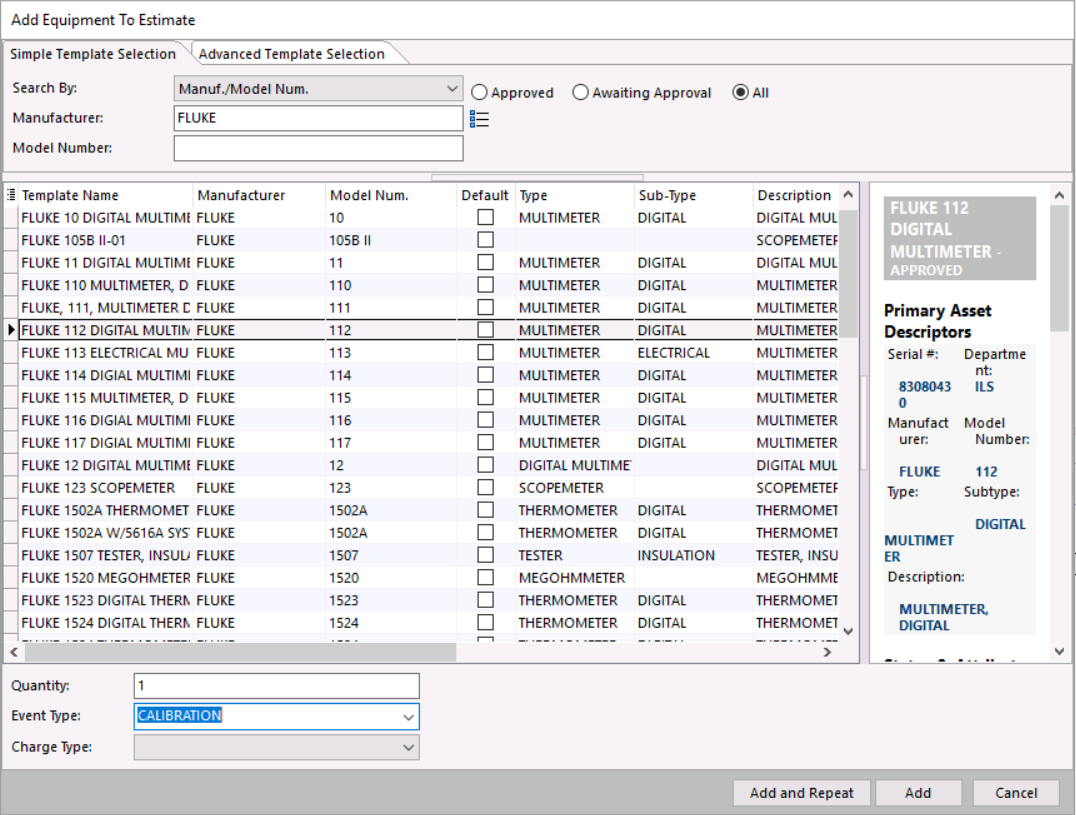
You can also add charges from a Template by clicking the "Add from Template" icon  . This will
launch the Template screen. Select the Template the customer is interested in, how many items
they want to be quoted, and finally, the Event Type and Charge. Click the "Add" button, and the Template with
the appropriate charges will be added to the Estimate.
Note: Make sure the Template you are adding to the Estimate has the "Auto Add to the Event"
checkbox marked for the charge type, or it will not add to the grid.
Note: If template charges are added, all charges associated with the Template may be added to the estimate for the selected charge type.
Last, calculate the tax (if it applies) by clicking the "Add Tax" icon  . The tax information for the company the customer is from will be added to the total cost of the Estimate.
Note: Charge lines must have the "Taxable" box checked, and the corresponding company must have a Tax Table populated to calculate tax charges.
 |
|