Linking Work Orders to Estimates
Work orders can be created from an estimate in IndySoft. Select the Estimate from the Order System tab, then go to the 'Charges' tab and select the 'Create Work Order From Estimate' menu above the grid:
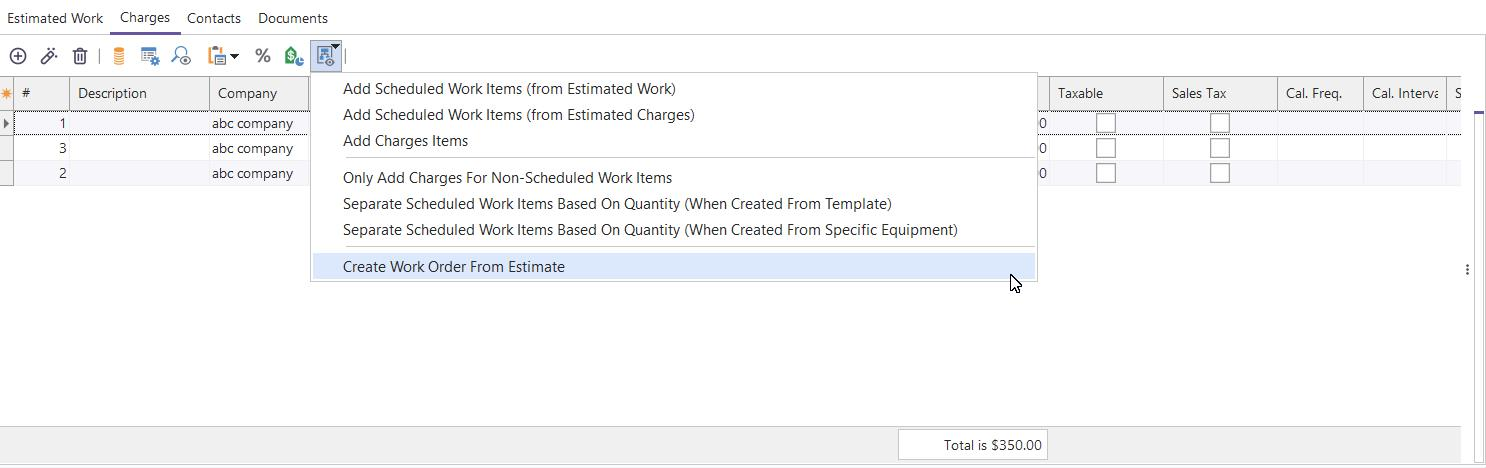
Create a Work Order From the Estimate
The Estimate must first be in an APPROVED status to create a work order from an estimate. Note: Three options can be set from this menu before calling 'Create Work Order From Estimate':
·Add Scheduled Work Items: creates Scheduled Work items on the new Work Order for any charges on the Estimate that have a Company, ID, and Related Event Type
·Add Charges Items: creates Charges items on the new Work Order
·Only Add Charges For Non-Scheduled Work Items: this setting causes charges only to be created that are not related to charges on the Estimate that cause the creation of a Scheduled Work item. This is preferable if you prefer to rely upon the actual service event to create the appropriate charge and populate the work order.
·Separate Scheduled Work Items Based On Quantity (When Create From Template): this setting changes the functionality for a particular scenario. If you have an estimate with charges created from a template and the charge has a quantity greater than one. If this option is checked and the 'Create Work Order From Estimate' is performed, a separate 'Scheduled Work' item will be created for each item in the quantity. If this option is unchecked, only one 'Scheduled Work' item will be performed.
·Separate Scheduled Work Items Based On Quantity (When Create From Specific Equipment): this setting (similar to the one above) changes the functionality for a specific scenario. If you have an estimate with charges that were created from particular equipment (like from EquipmentFinder) and the charge has a quantity greater than one, then if this option is checked and the 'Create Work Order From Estimate' is performed, a separate 'Scheduled Work' item will be created for each item in the quantity. If this option is unchecked, only one 'Scheduled Work' item will be performed.
Once the new Work Order has been created, it will be automatically selected onscreen. Note that from the Charges tab on the latest Work Order, you can quickly navigate back to the original Estimate by clicking the 'Goto Related Estimate' button. The hint of this button will remind you of the Estimate #:
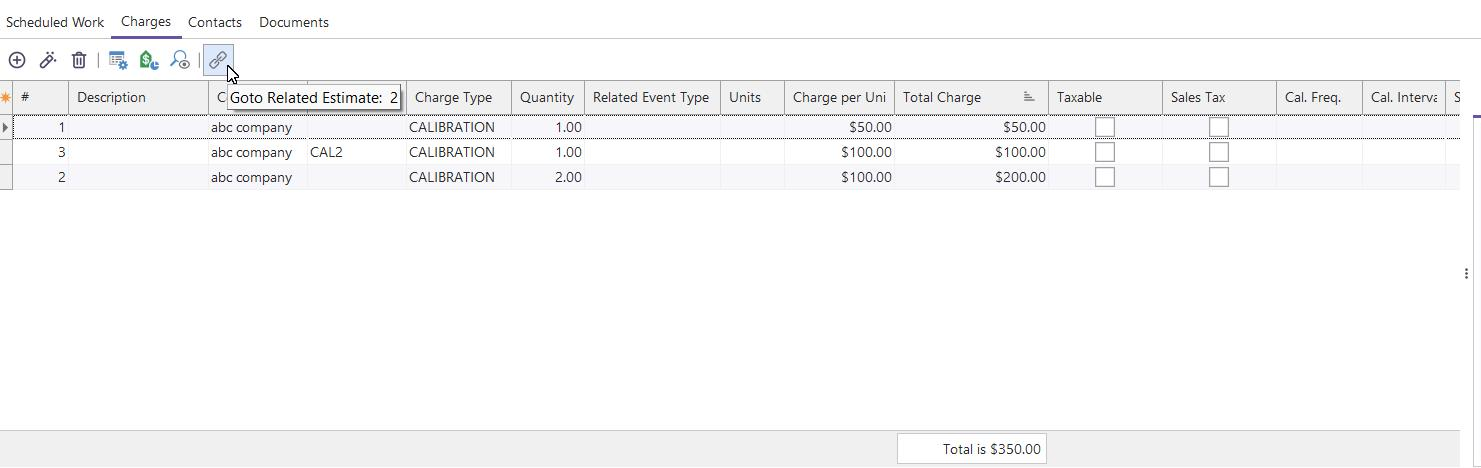
Goto Related Estimate
 Version 13.0.9 || Admins can display specific Events to Create Work Orders from Estimates from the Estimates Charges Tab.
From Workflow Configuration, the user can navigate to step 5 and click the checkbox option to "Show in Estimates to Create WOs."
By selecting this option, a new icon will be displayed from the Estimate Charges Tab. 
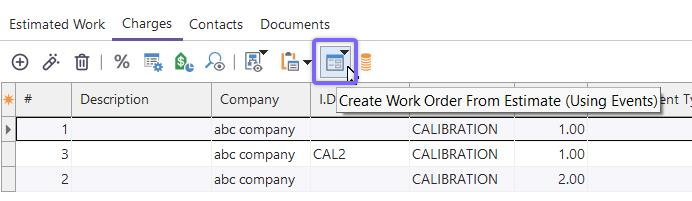
Estimate - Create WO from Estimate (using Events)
Any events with this option checked will be displayed there in a drop-down. Upon selecting the event, IndySoft will automatically add all distinct equipment from the Estimate (estimated work and charges). Note that the correct auto-launch rule in workflow configuration will need to be applied for the event to create a work order. The Estimate need not necessarily be in an "Approved" status to use this feature. A security item can hide the native option to create a work order from an estimate to avoid confusion with this feature.
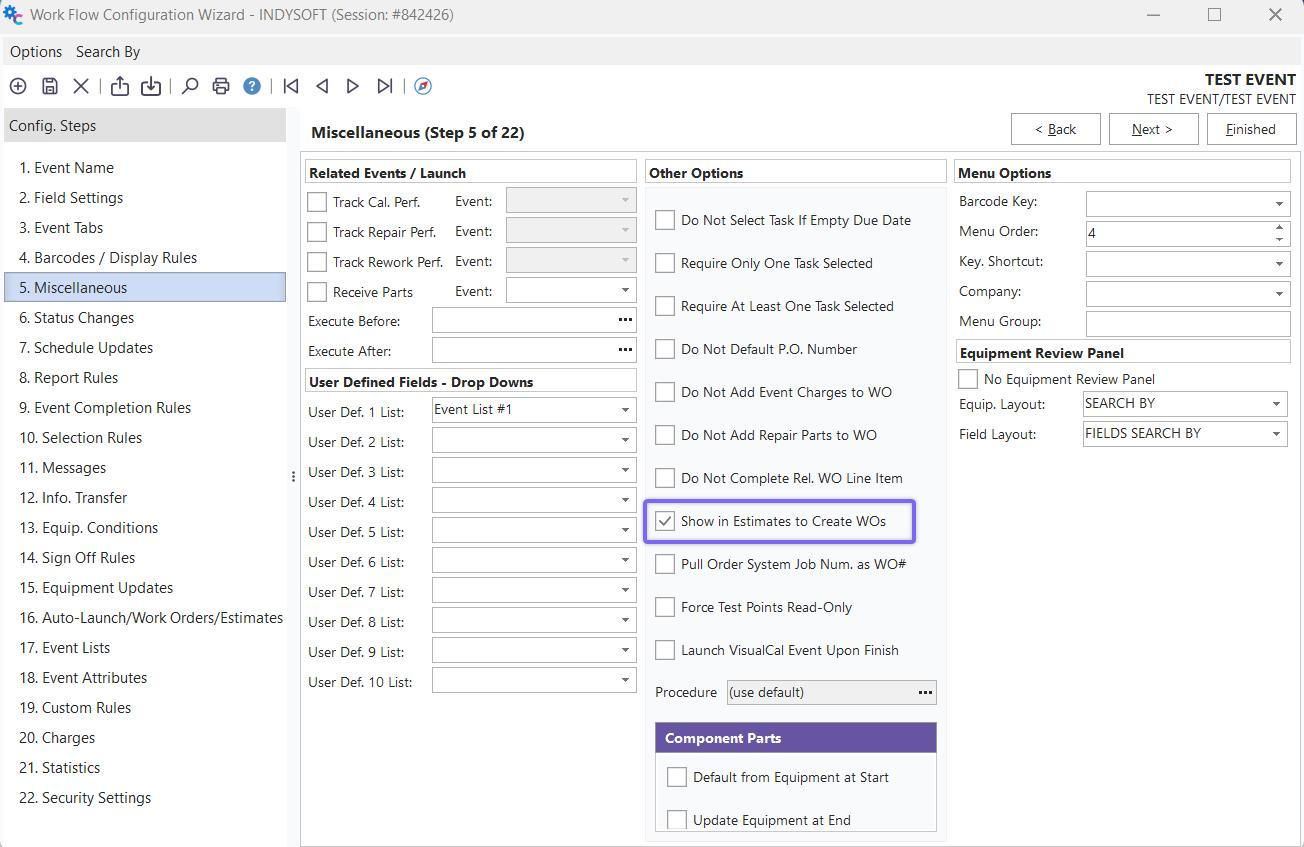
Workflow Config Misc. - Show in Estimates to Create WOs
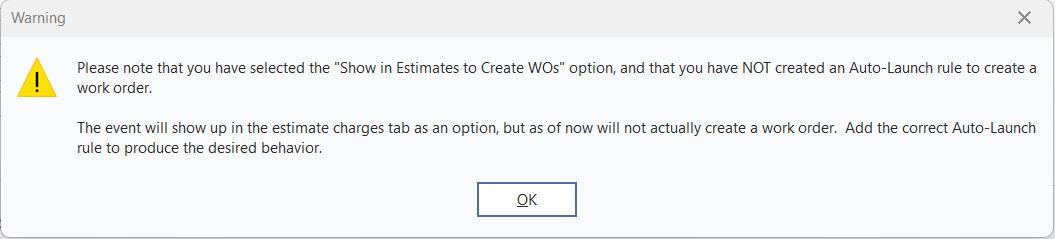
Show in Estimates to Create WO - Auto Launch Rule Warning
Charges Automatically Imported From Estimate In Events
As noted in Default Charge Calculations, charges can be automatically populated into an event based on Workflow Configuration - Charges. This configuration grid allows certain charge types to be associated with the event type - note in this grid if the charge type should be automatically added. If you would like the charges added from a related estimate, then note these settings from the Workflow Configuration Charges setup:
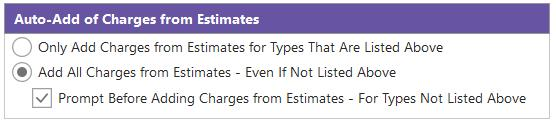
Auto-Add of Charges from Estimates
For charges to be added from an estimate, the Estimate must be in APPROVED status (not yet COMPLETE) and include a charge for the current asset (Company + ID) and current event type. If any charges are added from an estimate, then charges will NOT be imported from the equipment or linked template level. |