Launching Events
In IndySoft, all events created in Work Flow Configuration can be launched from the blue IndySoft header.
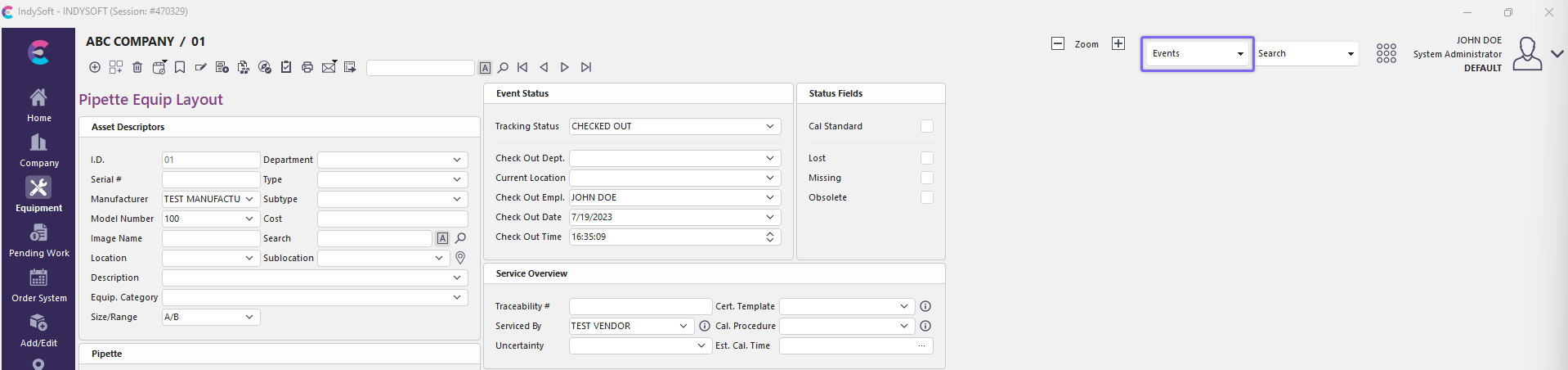
IndySoft Header
Clicking the Event icon will drop down a menu, allowing you to select the appropriate event.
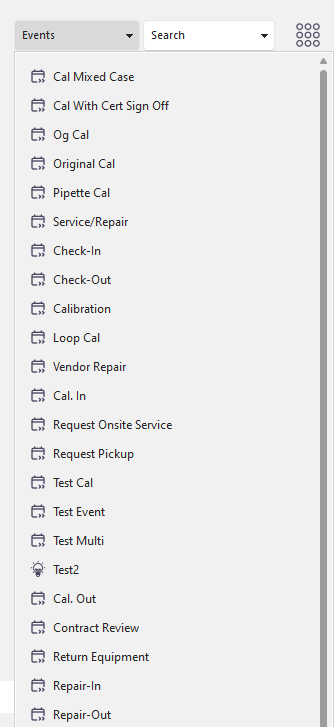
Event Menu
Events might be grouped under sub-menu options or hidden from your workstation because of your workstation group or selected company. See the Work Flow Configuration - Barcodes / Display Rules and Work Flow Configuration - Miscellaneous (check the Menu Group) sections for more details.
Keyboard Shortcuts
You can also utilize the Keyboard Shortcuts displayed on the 'Events' menu per event. These keyboard shortcuts always begin with Shift+Ctrl. Event Keyboard Shortcuts can be set up from the Work Flow Configuration - Miscellaneous section. |