Add/Edit...Attributes...Attributes 1-8
These fields refer to the 8 text-based attribute fields that can be set up per attribute type, as defined in Step 2 of the Add/Edit...Attributes...Attribute Types wizard. There are 8 possible Attribute lists to populate per Attribute Type. For example, if you assigned an Attribute Type of 'Thread Plug,' you could set up 1 of your Text Attributes to specify a 'Direction' attribute. Next, you would use these lists to add classes 'CCW' and 'CW.' All values are specific to the selected company.
Add/Edit Attributes 1 - 8
To add to or manage the Attribute 1 - 8 list:
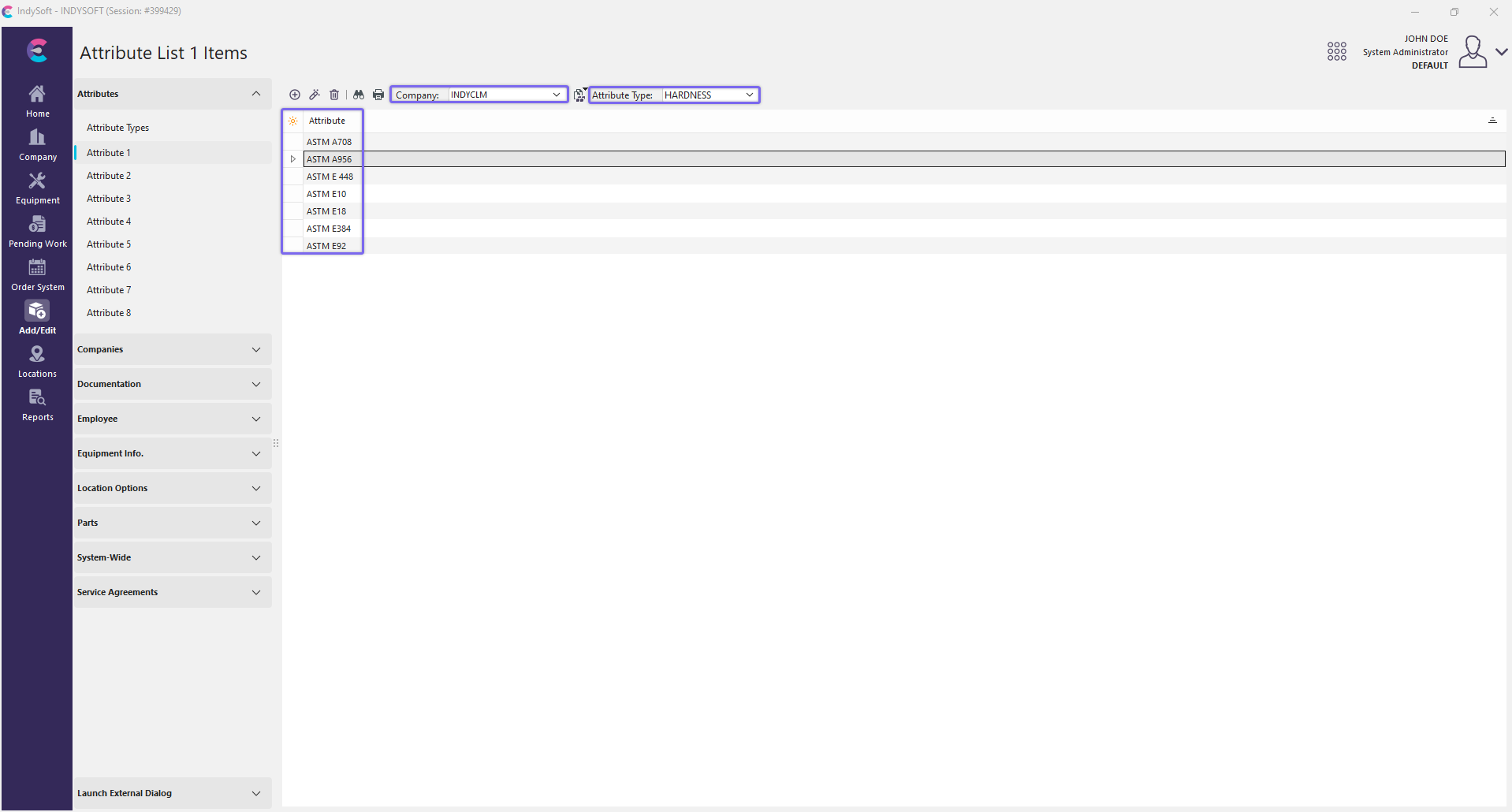 ../Storage/indysoft-help-publication/bw_clip0202.png
Add/Edit Attribute List Dialog Box
Be sure you're adding the Attribute List into the right 'Company' AND 'Attribute Type.' Click  'New Item' to add to the list or
  'View/Edit Item.'

Add New Attribute List 1 Item
Type the new Attribute into the dialog box. Click 'OK,' and repeat as necessary.
Viewing Attribute 1 - 8 Lists
Click on (none) in the Attributes box to add an attribute from the drop-down list in the Edit Equipment Field. Or similarly, you can click on the current Attribute (i.e., CCW) to edit that Attribute or select a new one.

Edit Equipment Field - Direction

Attributes 1-8 - THREAD PLUG
Hyperlinks to be used in Layout Builder:
o!GAGES.ATTRIBUTE1!
o!GAGES.ATTRIBUTE2!
o!GAGES.ATTRIBUTE3!
o!GAGES.ATTRIBUTE4!
o!GAGES.ATTRIBUTE5!
o!GAGES.ATTRIBUTE6!
o!GAGES.SIZE1!
o!GAGES.SIZE2!
 Productivity Tip
The Add/Edit Attribute List dialog box can be filtered and customized in many ways. See General Interface for more information.
Buttons and Icons are detailed here.